
Share Your Palettes with a Link — New Share Feature
Ever wanted to send a palette to a teammate, client, or friend without screenshots or messy exports?
We’ve added a Share Palette feature so you can share any palette with a single link. Turn it on, copy the URL, and anyone can view your colors and grab the CSS variables — no account needed on their end.
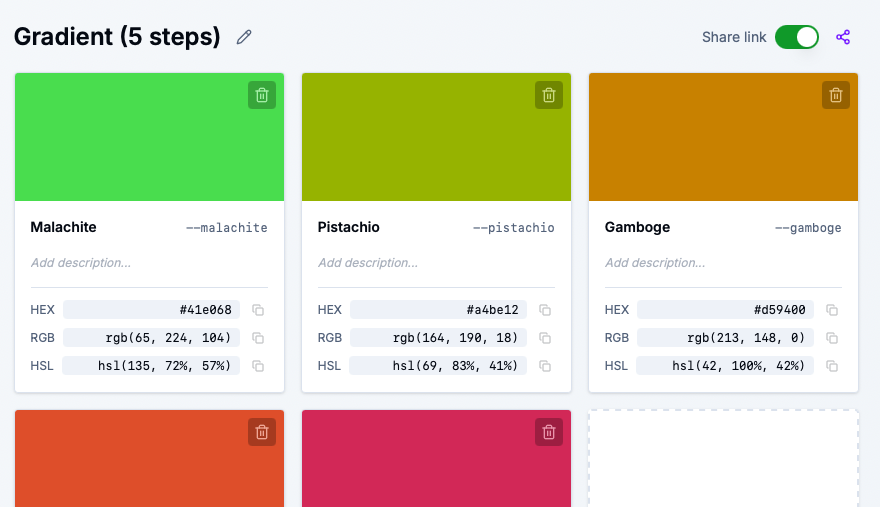
If you’re logged in, you’ll see a Share link toggle right next to the Save button when you’re viewing a palette.
- Toggle on → Your palette gets a public URL (e.g.
sewwa.com/color-palette/p/my-awesome-palette) - Toggle off → The link stops working; your palette is private again
- Share icon → When the toggle is on, a purple share icon appears. Click it to copy the link to your clipboard
It’s that simple. You control when a palette is shareable.
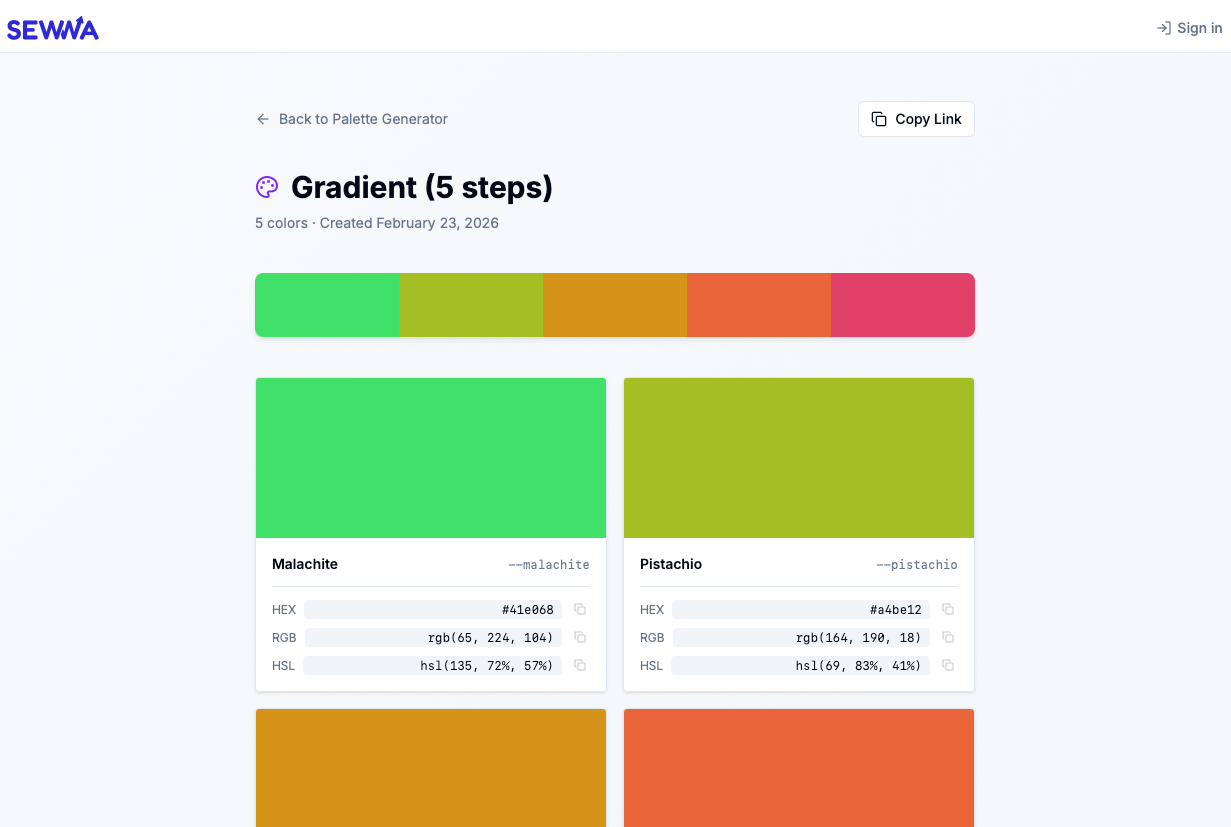
When someone opens your share link, they get a clean, read-only view of your palette:
- Palette name and color count
- Color strip preview at the top
- Individual color cards with:
- Large color swatch
- Semantic name and CSS variable
- HEX, RGB, and HSL values with copy buttons
- CSS Variables section with tabs for HEX, RGB, and HSL — one click to copy the full block
No login, no clutter. Just your palette, ready to use.
For designers & developers
- Share palettes with clients for approval
- Send design-system colors to your dev team
- Drop a link in Slack, Figma comments, or docs
For collaboration
- Everyone sees the same palette
- Copy values in any format (HEX, RGB, HSL)
- Export CSS variables without opening the main app
For you
- Toggle sharing on or off anytime
- Only logged-in users can share (keeps things tidy)
- Each palette gets a unique, readable slug based on its name
- Go to Color Converter & Palette Generator (opens in a new window)
- Log in (required to share)
- Open a palette from your history or create a new one
- Turn on the Share link toggle next to the Save button
- Click the share icon to copy the link
- Send it to anyone — they can view and copy without signing up
The share page is mobile-friendly and works in any browser. Your palettes, your control.
If you have feedback or ideas for what we should add next, we’d love to hear from you.
Happy sharing! 🎨