
New Feature: Visual Color Picker
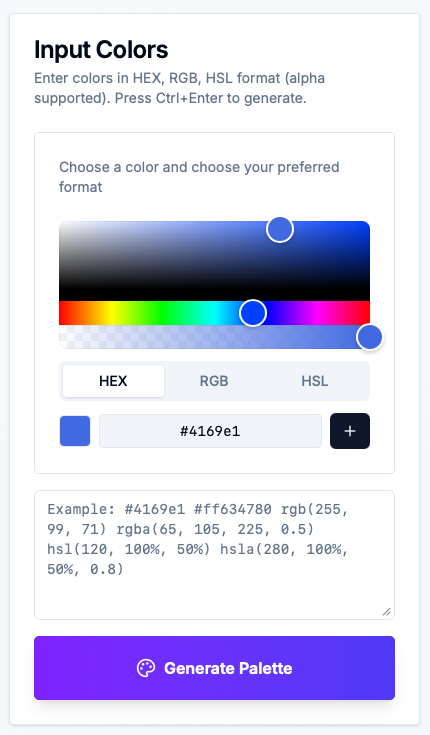
We just added a visual color picker to the CSS Color Converter & Variable Tool (opens in a new window). Now you can select colors with your mouse instead of typing them manually.
The color picker appears at the top of the input section and lets you:
- Pick colors visually using a color wheel
- Adjust transparency with a slider
- Choose between HEX, RGB, or HSL formats
- Add colors to your input with one click
Before this feature, you had to:
- Copy color codes from design tools
- Paste them into the text area
- Hope you didn’t make typos
Now it’s just: point, click, add.
Visit https://www.sewwa.com/color-palette (opens in a new window) and you’ll see the color picker above the text input. Select a color, choose your format, and hit the plus button.
Have feedback? Let us know here (opens in a new window).